
Six real portfolio paths and what to copy
These observations come from public pages. Open the live examples on your phone to see how they look in your browser. For your own site, complete the whole path with a test inquiry and check where it arrives.
| Landscape website | What the buyer can follow | What I'd borrow for a smaller shop |
|---|---|---|
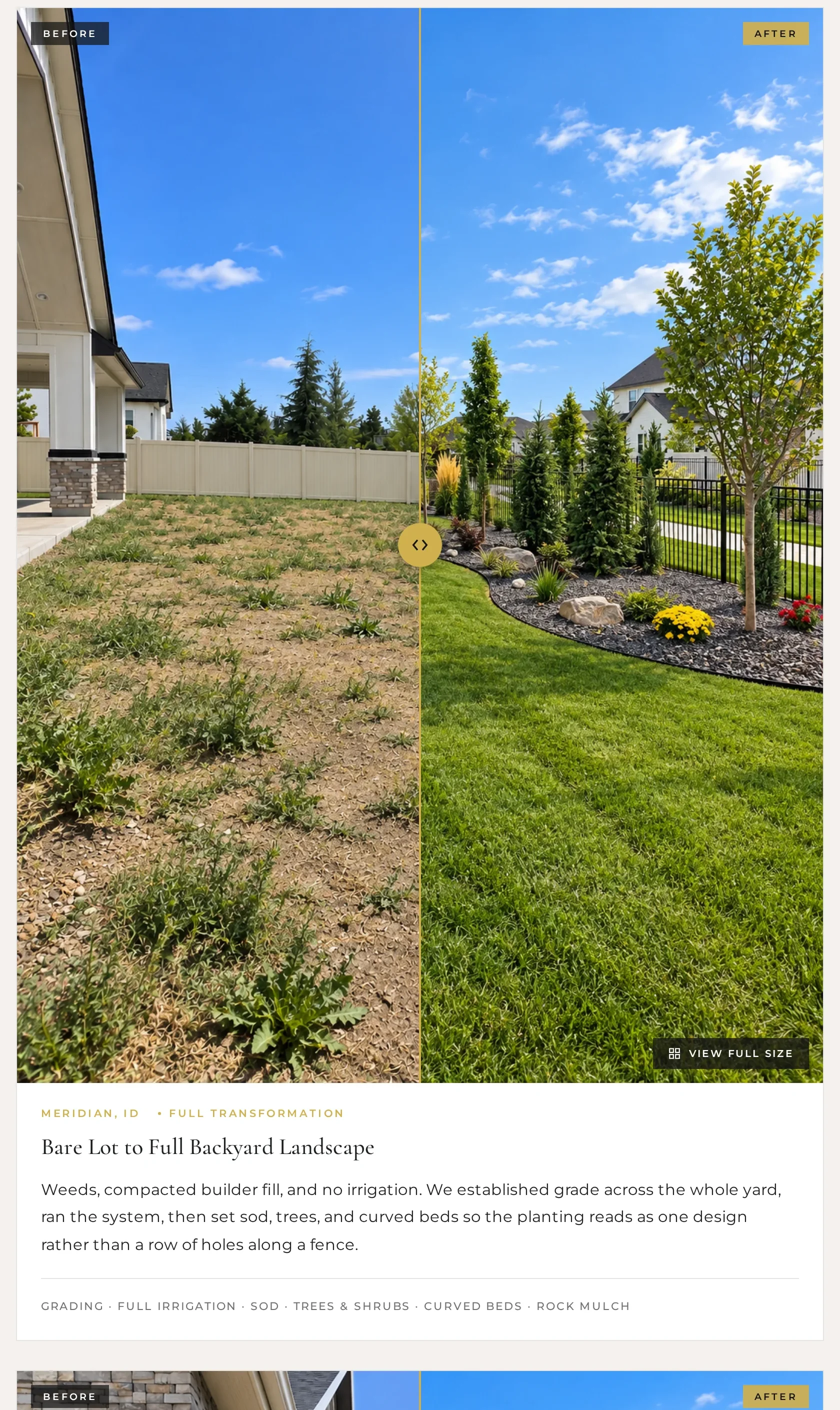
| Altavera, Idaho | Its Kuna walkway has two views from the project and describes how water was moved away from the foundation. The gallery has a clear quote action after the projects. | On a drainage problem, photograph the same view before and after. Caption the work the homeowner can't see once it's finished. Add a request link after the example. |
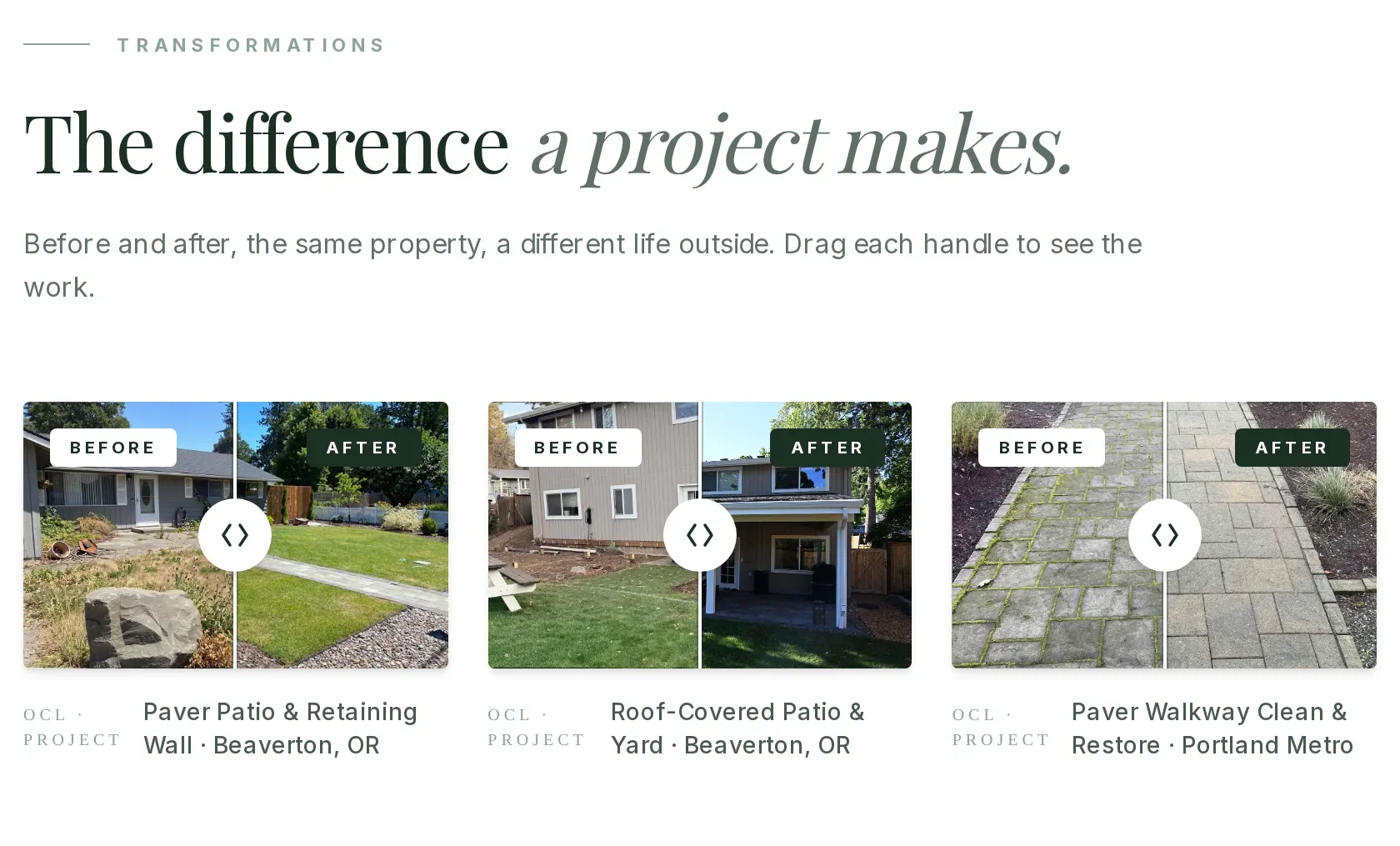
| Olguin C Landscaping, Oregon | Its Beaverton patio and retaining wall pair a named project and location with a before-and-after comparison. | Put the project and town in plain text with the photos. Use a still image for each state so a buyer can understand the change even without dragging a slider. |
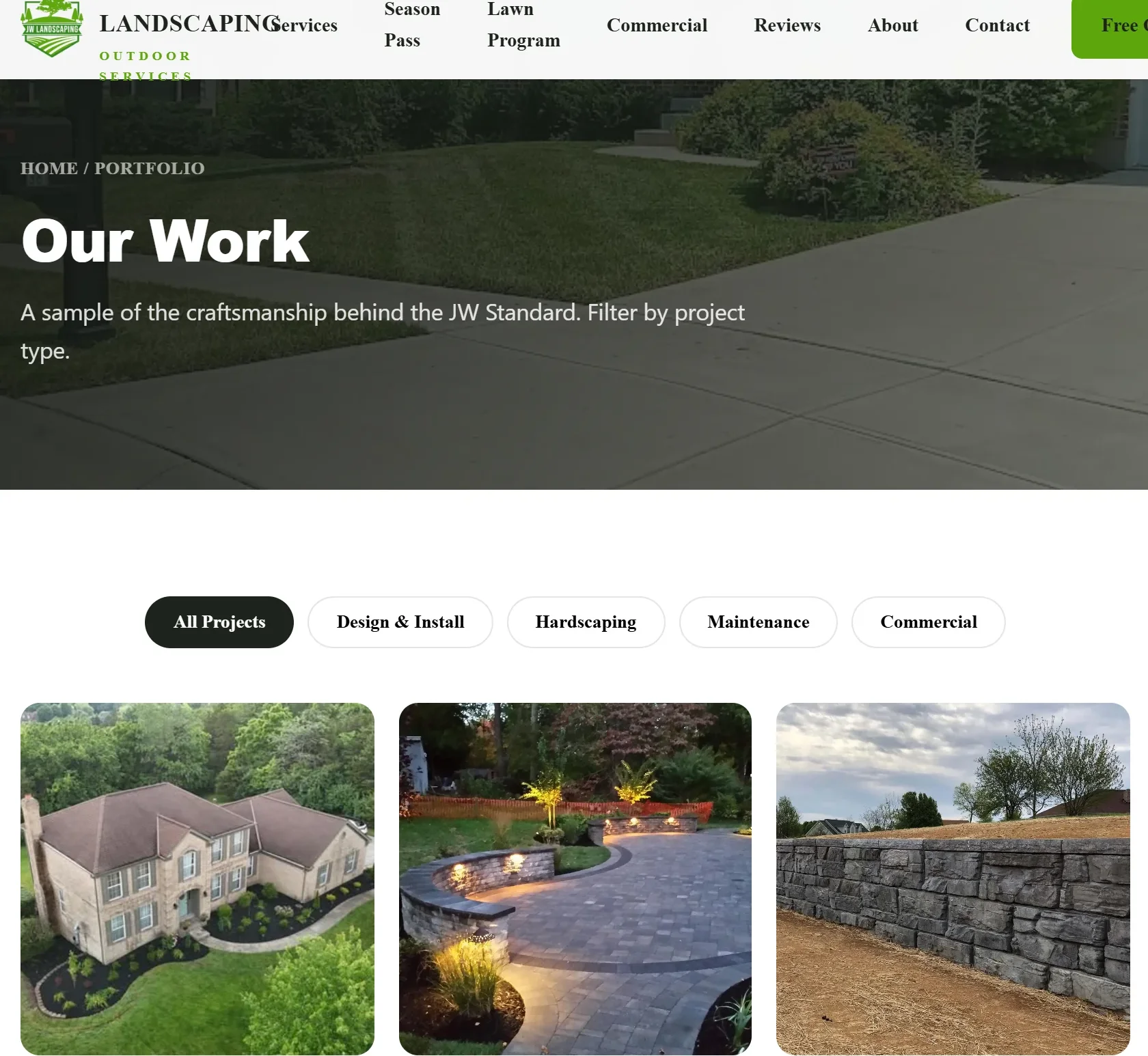
| JW Landscaping, Kentucky and Cincinnati | Hardscaping and commercial filters help visitors narrow the work. The patio gallery has a quote link. That link opens an instant lawn-care quote with a separate way to request a project estimate. Its commercial page offers a proposal. | Give each audience the next step for the job: a project estimate for patios, a service quote for lawn care, and a proposal request for property managers. |
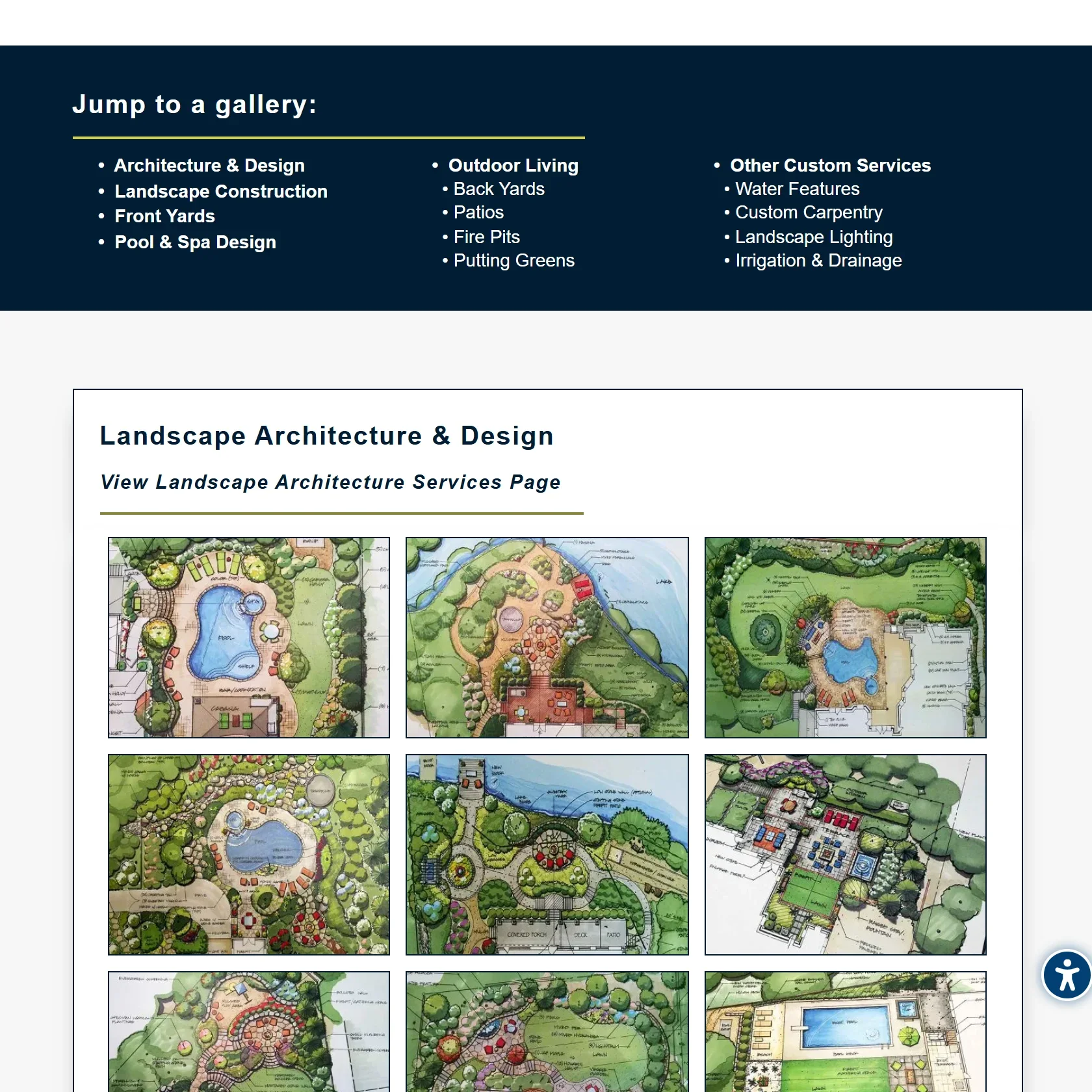
| Outside Landscape Group, Georgia and Alabama | Gallery topics link to related services. A buyer browsing patios can move into the broader outdoor living service. | Put a link to the matching service underneath a set of photos. It's an easy way to explain what work you take and show which next step makes sense. |
| Southern Landscape, Austin | Visitors can browse patios, walls and outdoor kitchens as distinct topics and see a consultation action. | For a larger design-build project, invite the buyer to talk through their yard. A form labeled for a quote can set the wrong expectation when design and site decisions come first. |
| Dave's Landscaping, Ohio | Its gallery offers separate paving, lighting and retaining wall galleries. It also gives a phone option near the portfolio entry. | If one gallery gets crowded, separate it by jobs people buy. Start with the services you can show well rather than making an empty gallery for everything you sell. |
If you've only got time for three examples, use Altavera for project proof, Outside Landscape Group for gallery-to-service navigation and JW for separating estimate and proposal requests. Open the gallery first, follow the relevant action, and look at what the next page actually asks you to do.
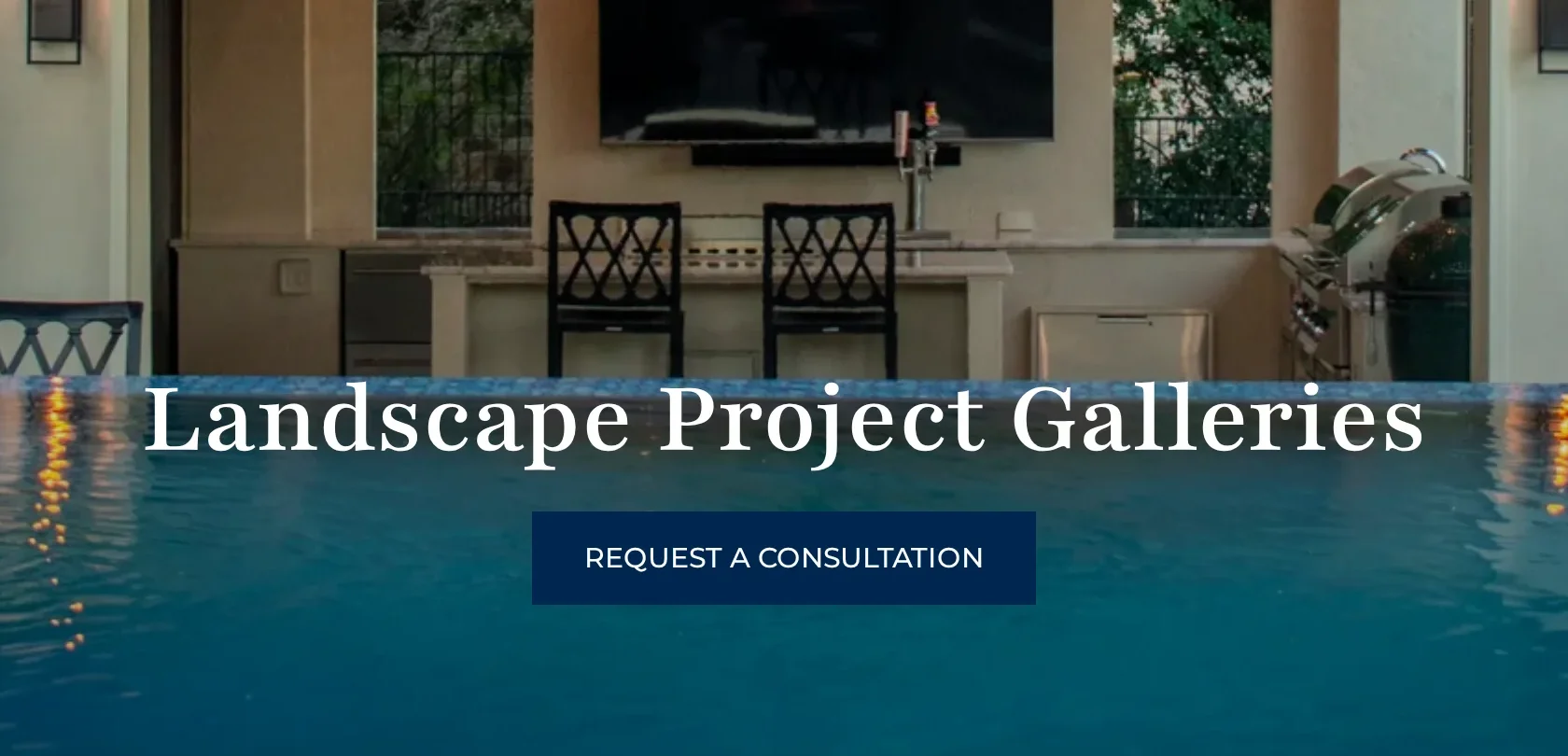
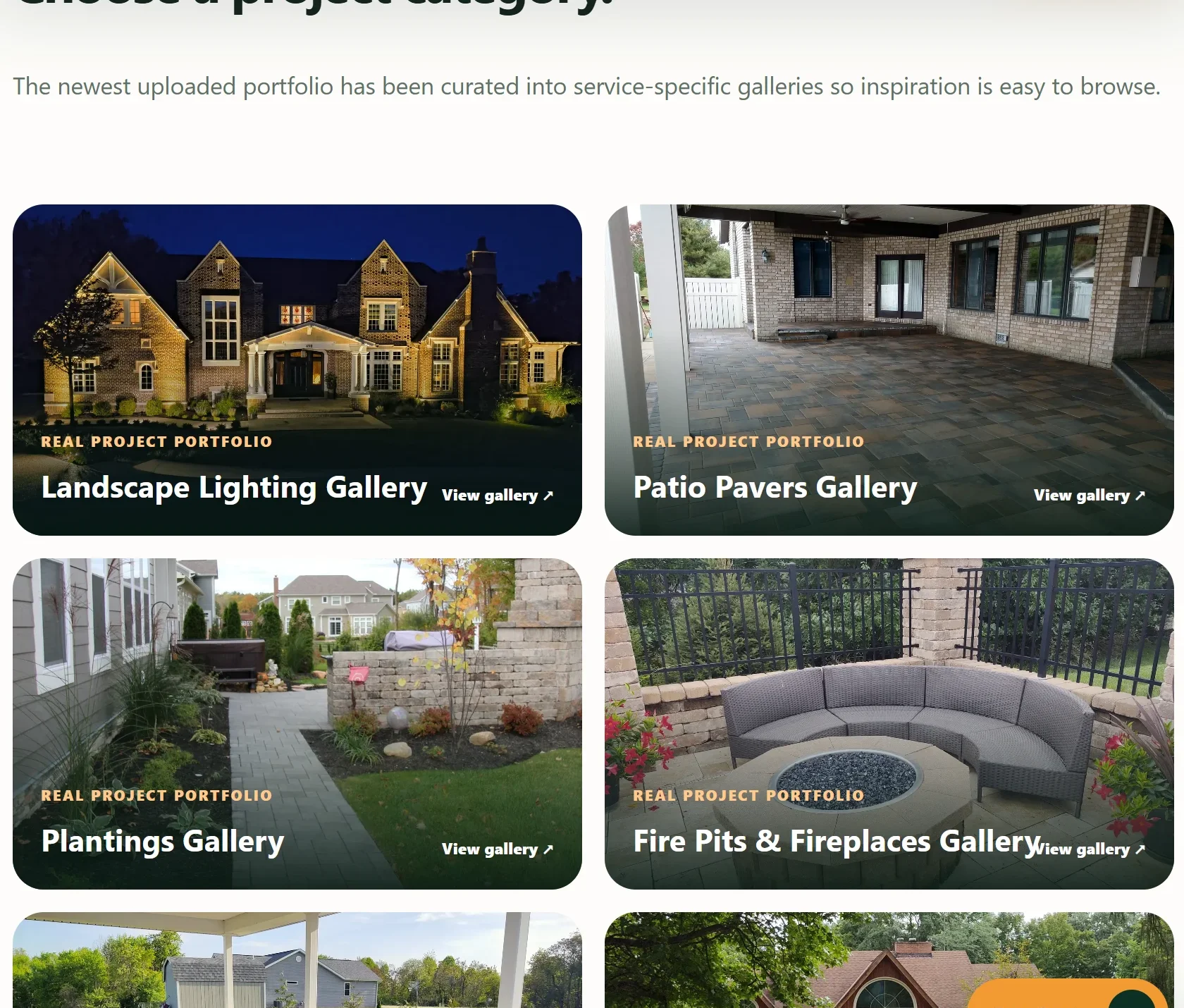
Check the journey in three stops
- Arrive on a service page. Start from the link an ad or a Google listing actually uses. Can the homeowner tell within the first screen what you build and where you work? Find the estimate action without opening the full navigation.
- See a similar project. Open one before-and-after or project detail. Check for a town, service, finished result and a sentence that explains a site constraint. If the only proof is a hero photo without context, add a caption before buying a redesign.
- Get to a response. Open the quote path from the project or adjoining service page. On your own site, send a test from a phone and check the office inbox or CRM. Note how the form identifies the service, who takes the request and what the confirmation tells your customer.
Six more landscaping websites and what to copy
BrightView, commercial maintenance
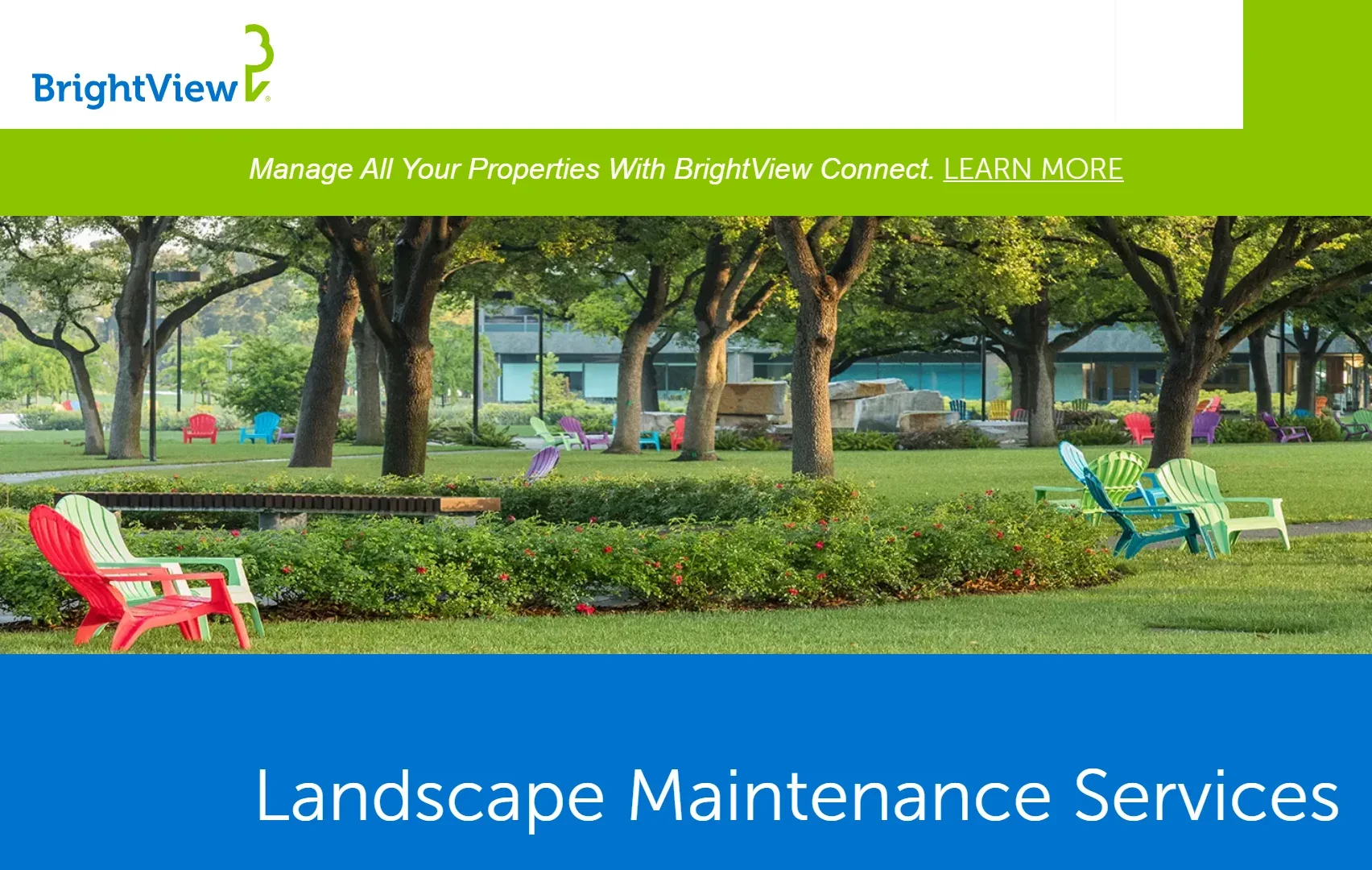
What's good. The photo shows a maintained property an operations manager can recognize, and the heading names the work. What to copy. Use a photo of the property type you want to maintain, with the service named right beside it. What to change. Put a property walk-through request beside the heading so a manager can take the next step.
HighGrove Partners, metro Atlanta
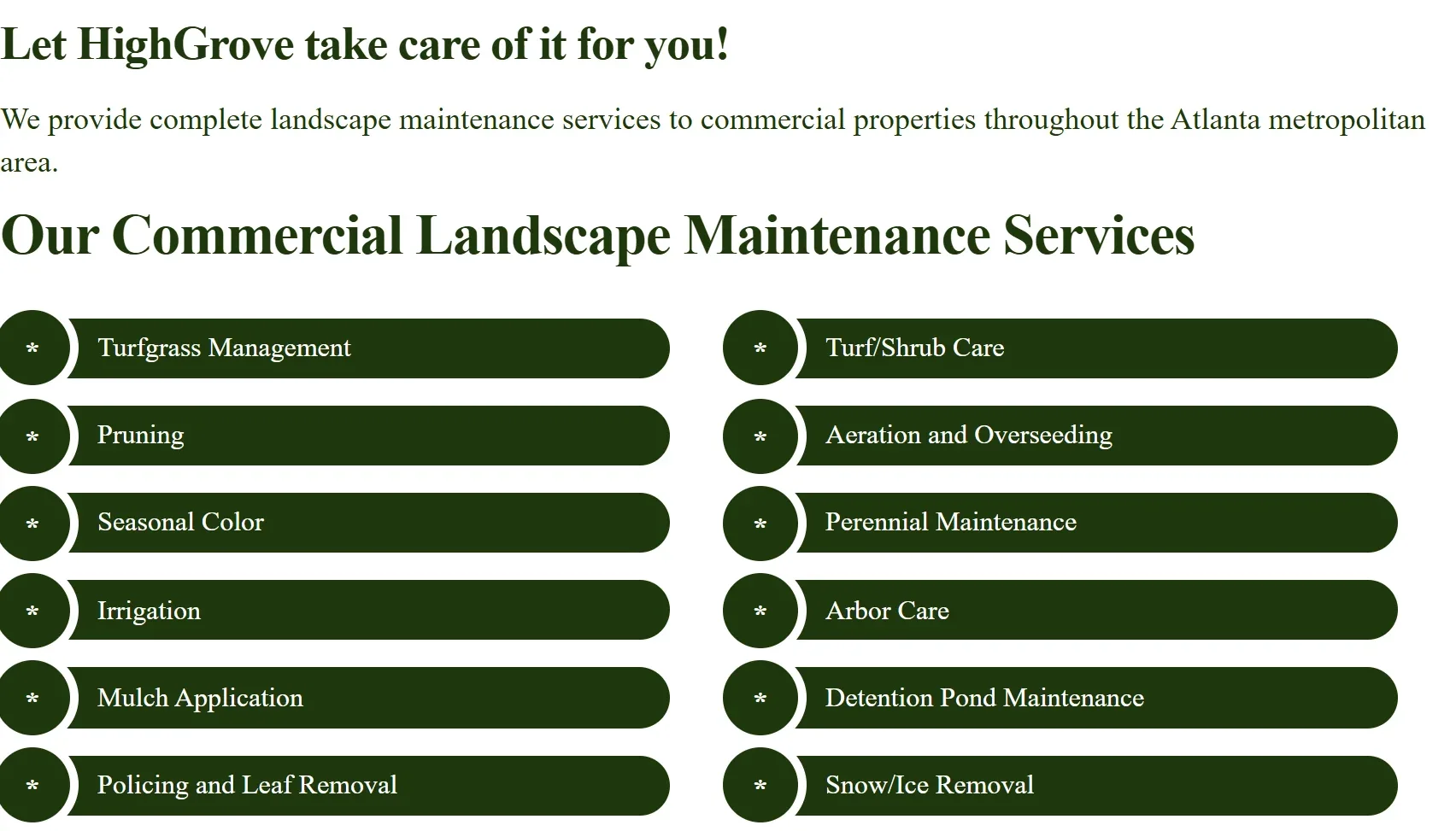
What's good. A property manager can see at a glance that the service covers jobs such as pruning, irrigation and seasonal color. What to copy. List the tasks your crew can quote so the buyer can compare them against the bid scope. What to change. Add a sample visit schedule that spells out what's part of a regular visit and what's seasonal.
Yellowstone Landscape, commercial maintenance
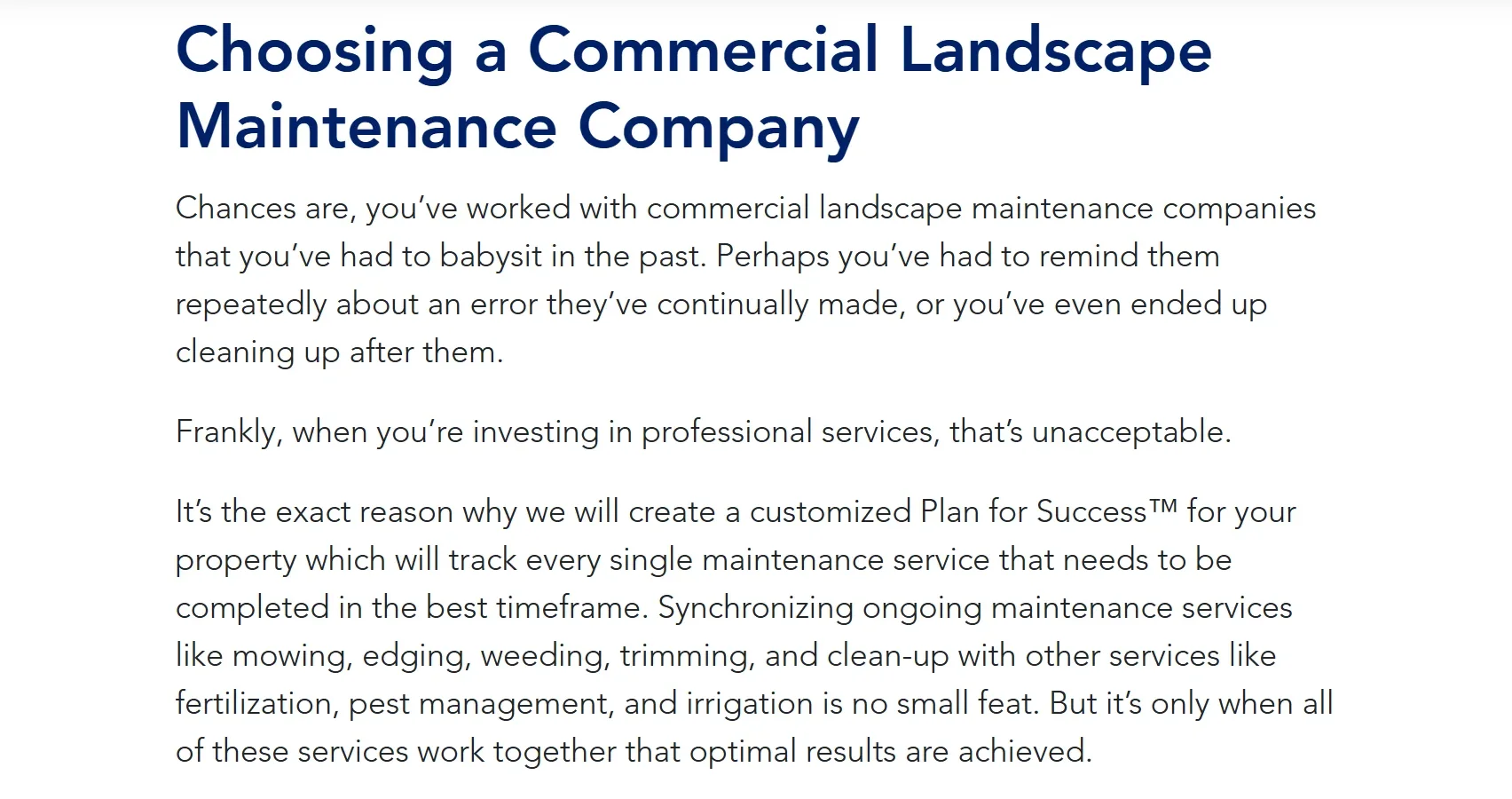
What's good. The page addresses a familiar frustration for property managers and then explains how the company puts the work on a schedule. What to copy. Tell the buyer how you track visits and who they can call when a task gets missed. What to change. Show one sample month of work orders alongside the explanation so the buyer can see what they'll receive.
Install-It-Direct, San Diego
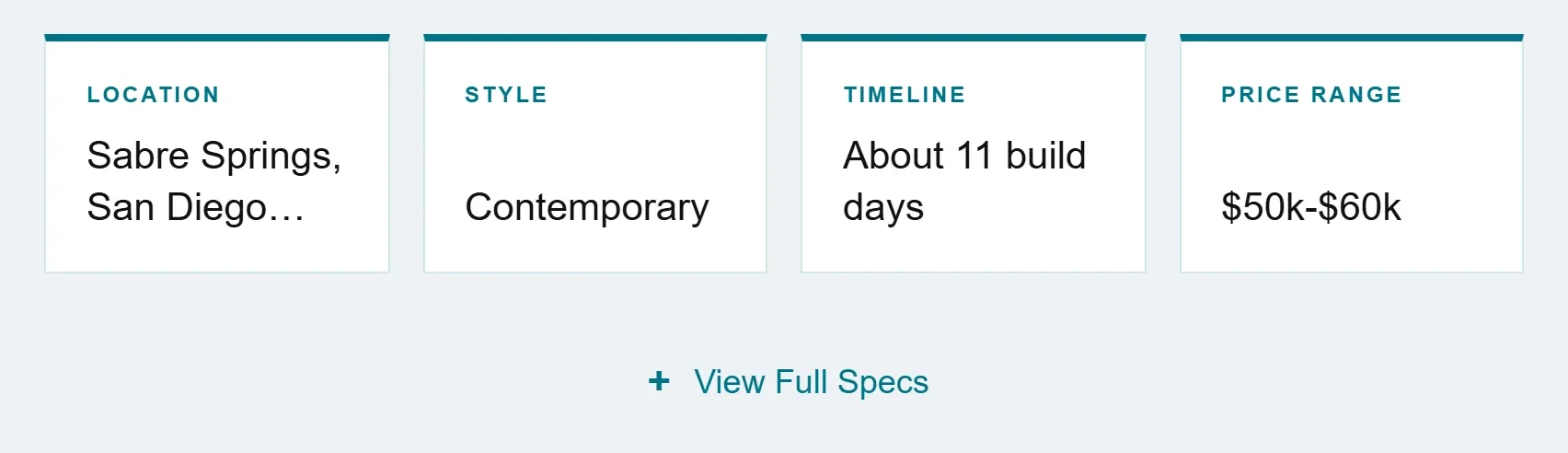
What's good. The paver patio summary tells a homeowner where the crew worked, how long the build took and how the company priced that job. What to copy. Put the job details above the photo gallery so readers can see whether the project resembles theirs. What to change. Include a line beside the price range explaining how access, drainage or retaining walls can change it.
Pacific Outdoor Living, greater Los Angeles
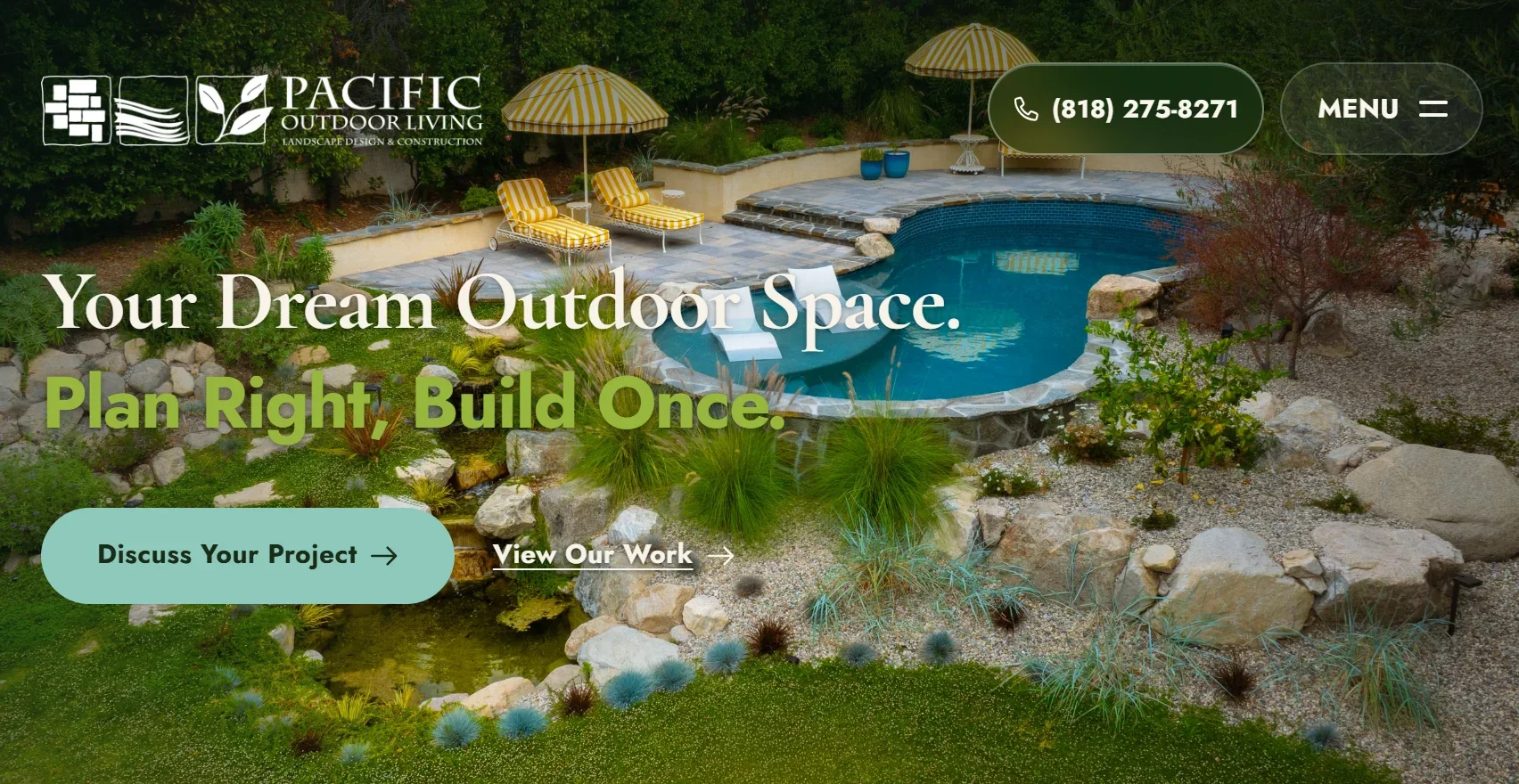
What's good. The homepage gives a buyer who's ready to call and a buyer still comparing ideas a clear next step. What to copy. Put one clear inquiry button beside a quieter link to finished jobs. What to change. Name the core service area near those buttons so homeowners can check whether they're in range first.
Weller Brothers, upper Midwest

What's good. The homepage gives people serving-area choices before they have to open the menu. What to copy. If you have several crews in different markets, put the market choice where people can see it and send each one to relevant projects. What to change. List the nearby towns on each market page so a family outside the city can check whether you work there.
Follow one path on a phone
| Step | What a patio buyer needs | Quick check |
|---|---|---|
| Open | The kind of work and towns you serve. | Ask a colleague what you do after reading one screen. |
| Pick proof | A project with a similar space or problem. | Make sure the image and caption are readable. |
| Request | Ask about the work, town and how to reply. | Submit a test without zooming or guessing which field to use. |
| After submit | Tell the customer what happens next. | Compare the confirmation with the message your office got. |
Start with the fields somebody uses. Most homeowners can tell you what they'd like to change and where they live. Your estimator can ask about the gate, slope or material in a short follow-up. Put the phone number next to the form for someone who's ready to talk.
Use the original phone layout below to show a designer where you'd put the project proof, the estimate button and the few details the office needs.
Make the project page practical
Keep a short site map. The home page sends visitors by job type. On the service page, show what you do, where you'll travel and how to reach you. A project page shows similar work and the conditions that mattered. A coverage page explains how far you take jobs. An estimate page gathers what the office needs to reply. Keep the same service name across the link, form and lead record.
For example, a homeowner sends ZIP 27513 and asks to replace a patio. The site stores “Patio Replacement page” as the source. The confirmation says someone will call during business hours to see if there's a reason to come out. The office sees the ZIP, job, phone number and starting page. Check that those fields arrive together before you're ready to replace the design.
On the first screen, write the job type, town and what changed. Put the job details under the photos. A caption about pooling water or access makes the example more helpful than a string of unlabeled images. If you hand off photo work to someone else, give them the service, location, permission and angle they need. The project photo playbook has a field list.
For one patio, show the full space before and after from the same spot. Add a close shot of the detail that shows what changed. Link readers to the matching service or estimate action. If someone follows the link, the office should know where they've come from and what they've seen.
Match the quote path to the way you sell
| Business and common job | What to show | What to ask for | What the office should get |
|---|---|---|---|
| Patio installer with a project minimum | A finished paver patio and an explanation of how size, access and drainage affect the job | ZIP, replacement or new patio, timing, one contact method | Job type and area, plus the page that sent the inquiry |
| Design-build crew handling several trades | A complete yard with notes on the design and construction steps | Which part of the yard needs work, key features, general timing and an optional budget range | A project summary that makes the first planning call productive |
| Commercial grounds crew | An example that shows recurring work, location coverage and the kind of property | Property type, address or area, renewal date and contact | Who to talk to, when the scope gets renewed and which locations are involved |
| Drainage contractor | Before-and-after of a site with a close-up showing where the water went | Location, symptom, when it happens and a way to follow up | Enough to send the request to the right person for a field or phone review |
Keep the hard parts optional unless you use them in your next decision. A forced upload is a poor fit for a homeowner who hasn't gone outside to take photos. Consider a short form followed by a request for the image after you've checked the ZIP and service.
Check three things after you make the change
- A new quote action should lead to the right form from the service page, the main gallery and the matching project.
- The office should see the same project and location the homeowner submitted. If the page strips the service name or the form emails the wrong office, fix that before you judge lead quality.
- Compare inquiries for jobs you take and estimates held over a similar period. If visits to the page rise but fewer requests fit, review the search terms, ad promises and job minimum before expecting a new form to fix it.
Fix a broken journey before rebuilding the whole site
Suppose your outdoor living gallery gets visits, and people often open the contact form, but the office keeps getting fertilizer requests meant for a different crew. Start with the links that brought people in. If your homepage sends everyone to the same form, use a patio inquiry action on the patio page and ask the form to carry the service name into the office record. If the source is a generic ad, give the ad and page the same job name. Test the path from a search result or ad into the office. Keep the rest of the gallery in place while you check the result.
Use a simple method to record what you found. Give the test a date, phone type, entry page, service requested, what happened and the person who can fix it. For example, an iPhone visitor who opens the patio page, taps the quote link and sends a patio request should show up for the office as a patio lead from that service page. If the service comes through as blank, you now have one task a designer and office manager can verify together.
Check which example solves your actual website problem
Imagine a homeowner who saw a patio photo on Facebook and wants to know if you can handle a yard that slopes toward their back door. Start on the page they actually land on. Open it on your phone and see if you can answer three questions without visiting every gallery. Do you build this type of patio? Is there a project where you had to deal with slope or water? Can I ask for an estimate that tells the office which service I want?
| Borrow from the examples above if… | Put this in the brief |
|---|---|
| Your best evidence is how much a yard changed. | Use the same-angle comparison you saw at Altavera or Olguin with two lines on what the crew had to fix. Write those lines beside the images so they make sense without moving the slider. |
| Visitors see a wall, walkway and planting job mixed together and miss the patios. | Use a hardscape category like JW's or a project-type gallery like Dave's. Open the selected project on a phone and make sure the visitor can get back to its related service. |
| Your visitor sees good work and still doesn't know how to get a quote. | Follow the action near the gallery, as in Southern Landscape's example. Put your own patio estimate button there, then check what the office actually receives. |
If you can find proof but can't ask about the job, fix the estimate path before reshooting the gallery. If you can submit the form but can't see a project that matches, build the missing project page first.
What a landscaping website costs
Start by pricing the same request with each option. Ask for the pages you need, who supplies the photos and copy, where estimate requests go, and what you'll pay to keep the site up. These are different types of price, so use them to ask better questions before comparing first-year totals.
| Who builds it | Published US price checked November 28, 2026 | What to ask before paying |
|---|---|---|
| DIY builder | Carrd lists Pro Standard at $19 per year for its one-page site builder. | Budget for your own build time and domain. If you want separate service, town and project pages, price a platform that supports them. |
| Freelance designer | One Massachusetts designer listed on Wix starts at $1,100 for a basic themed site and $2,000 for a custom design. | Get a written scope for the pages, project gallery, mobile estimate form, hosting and handover. These are one designer's starting prices. |
| Web design agency | Clutch reports $100 to $149 per hour for US web design companies in its 2026 guide. | Ask for a project total. Check how many hours cover the design, copy, redirects and launch, and what the agency charges after that. |
| 9xLocal | Website included in packages starting from $297/month, with no separate build fee. | Your first version can be live within 3 working days of getting access and your basic business details. If you cancel, we hand over the website files. |
Give a designer a clear assignment
Explain what project you want more of and what a visitor should be able to do on a phone. Ask the designer to show a relevant layout and how you'd update it after the next job. Ask who gets the form, who checks it and what you'll own if you want to move it. Ask for pricing and upkeep in writing.
FAQ
Which part of my site should I look at first?
Open a priority service page on a phone, check the project proof, and try a test estimate.
How many projects should I show?
Start with the projects that show your main services and something worth explaining. Good coverage helps more than a big gallery with identical captions.
Should I make the estimate form longer?
Add a field when the office relies on the answer to follow up. Keep the steps clear and give callers another way to reach you.
Can I send an ad straight to a portfolio gallery?
Use the gallery when it answers the ad's question and gives the customer a way to request the same work. If the ad says “paver patio replacement,” open the destination on your phone. Make sure the first screen names that work, the examples show it, and the estimate button keeps “patio replacement” attached to the request. If the gallery mixes mowing, walls and patios, use a focused service page and link to one relevant project. Consider a rebuild if the site still can't send a request for that service to the right person after you try to repair the form or its handoff.
Sources
- Carrd, Pro Standard pricing. Verified November 28, 2026.
- Wix, Massachusetts designer's published website packages. Verified November 28, 2026.
- Clutch, 2026 Web Design Pricing by Location. Verified November 28, 2026.
For getting that project page found, start with the local SEO guide for landscapers. If you're building a project page for a larger backyard, see the design-build sales guide for what to ask before promising a design consultation.
Next step
Our team can show the jobs you want on a site that lets people ask about an estimate on their phone. Give the office enough detail to book the right work. 9xLocal packages start from $297/month. See what our landscaping website design services include. See if we're a fit.