
What a landscaping website should do
A customer on a phone wants to know whether you do the work, whether you come to their town, and what happens when they get in touch. Show them a nearby job with a detail that helps them decide. For a small backyard patio, that might be the gate you had to bring equipment through. For drainage, it might be a photo of where the water used to pool.
| Page or step | What it should show | What to test |
|---|---|---|
| Service page | What the crew can do and the area you serve. | A homeowner can tell that patio installation and ongoing maintenance are different services. |
| Project proof | What was built, where it was built and one trade detail. | You can read the caption on your phone and find the related service. |
| Estimate form | A way to reply, town and a short description of the job. | Your office receives a test message with the fields it needs. |
| Confirmation | Who replies and what the homeowner can have ready. | The homeowner sees a confirmation and your office gets the same request. |
If the site already shows the right projects and lets you update them, try fixing the estimate form first. If the site can't support the service pages your crew needs, price a rebuild. You can keep the form short and still help the office. If you're asking about a gate width or slope, put it in a follow-up after you know the project is one you can quote. A good site helps both sides get to that first conversation.
What a finished project page can look like
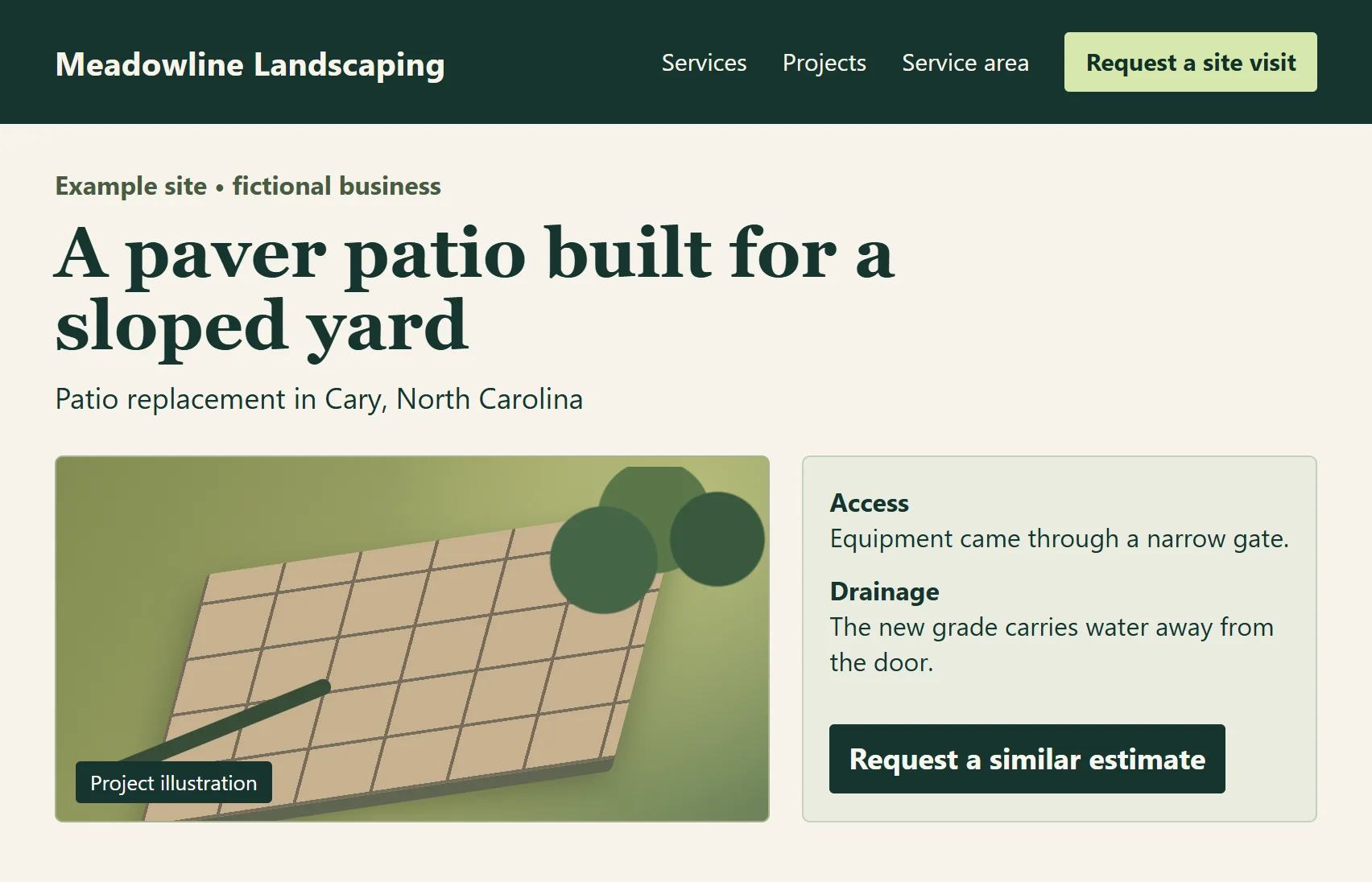
Here's a fictional landscaping site to show the layout. Put the job and town next to the image. Use the space beside it for the two details an estimator would explain first, then give the homeowner a next step for similar work.
What happens after you hire
First, gather the domain details, your current site if you have one, the jobs you want and photos you can share. On a rebuild, check your current pages before changing any URL. If homeowners already land on a service page, you want its new home or a redirect decided before launch.
The website team builds the first version, then you try the estimate path on a phone. Submit a test inquiry about a patio in one of your towns. Read the confirmation as the homeowner, then check what your office received. If the message didn't reach the person who books estimates, fix it right there.
With 9xLocal, the first website version can go live within three working days after access and basic business details. Bigger migrations and custom integrations can take longer. You can send job photos through the app, and a strategist reviews website updates before they go live. You own your content and domain. If you cancel, you take the website files with you.
Compare the first-year quote
Some designers quote a build and a monthly care plan. Others include the website with ongoing marketing. Use the same twelve months when you compare. A and B below are sample quotes, with extras left open until the designer prices them.
| Option | Known costs in the first year | What to check |
|---|---|---|
| A: $500 build and $90/month | $1,580 | A starter site and basic care. Ask if the domain and a new project gallery cost extra. |
| B: $1,200 build and $100/month | $2,400 | A rebuild with two service pages. Ask if redirects and uploading the first project photos are included. |
| 9xLocal packages from $297/month | Ask for the full scope | Website included, with no separate setup or build fee. The package can cover other selected work. |
Enter domain, hosting, photo work and any required extras alongside the regular charge. Leave blank anything that hasn't been priced. Enter zero when you've confirmed it's included. In the example, B has $820 more in known charges. Wait for the extras before deciding which total is lower. Ask what the care plan renews at, who can export your estimate requests and where new requests go if you move the site.
Ask about hosting, domain, redirects and photos before comparing total costs.
Compare two site costs over 12 months
Change the example numbers to match your business. Dollar amounts are in USD. Use an equal 12-month period. If the fee changes, add the recurring amounts for those months and divide by 12. Enter 0 for an included extra or leave it blank when unknown.
Decide if you need a rebuild
If the site reads well, already shows relevant jobs and works on a phone, you may only need to repair the estimate path. If there's nowhere to add work or the office can't tell how to update a service, a new site may solve more than a form change. Templates work for a team with somebody to keep the pages current. A managed site makes sense when that job keeps getting pushed to next week.
Look at the landscaping website examples and point to one project layout you like. Then ask the designer how they'll let a homeowner call or request an estimate without scrolling through several screens.
If the site already sends estimates to the right person and the issue is getting found, start with landscaping SEO services.
Walk through a real estimate before a rebuild goes live
If an existing patio page brings in calls, ask the designer to show where that exact old address will go if it changes. Have them open it on a phone. It should land on the replacement patio page, with the project photos and estimate option easy to find. Hand the designer a short list of pages people already use, including the link in your Google profile, the page printed on flyers and any page where ads still send traffic. Keep a working copy of the old site and decide who can restore it if the launch breaks intake.
Then make two test requests. Use one town you serve and ask for a full paver replacement. For the other, choose a town you don't serve or a job you don't take. The first request should reach the person who schedules visits with the service and town attached. The second should get an answer the office can act on without implying you cover the job. Make a phone test too. A pretty confirmation screen only tells you the screen loaded.
Put three questions in the handover. Who can sign in to change the domain's settings? Who receives the test inquiry? Which site files, form settings and inquiry records can you export and use elsewhere? Get the answers in the scope before paying to replace the site.
Why landscapers pick 9xLocal
Choose the website and follow-up work you need under one plan. A strategist can review changes to the patio page and the request that reaches your office, so staff has enough information to book the visit. A good patio page shows one finished job, explains what you build, and gives the office enough information to reply. Your tech can share a new project photo through the app. A strategist reviews updates, so there's someone responsible for getting those jobs into the right place.
9xLocal is month to month, with no long-term contract and a 30-day money-back guarantee.
Questions to ask a website designer
| What to ask | How 9xLocal answers |
|---|---|
| Who owns the website? | The domain, content and photos are yours. We hand over files if you cancel. |
| What do I pay to get it built? | The site is included in the package from $297/month, with no separate setup or build fee. |
| How do I update photos? | Share project photos through the app for reviewed website updates. |
| What delays the first version? | Access and basic details get it started. A larger migration or a custom integration can take longer. |
Questions homeowners ask AI assistants
- Can I look at a patio like mine? Show a similar project and the work it took.
- Which towns does this crew work in? List the places you actually serve.
- How do I get a site visit? Put your estimate path next to useful proof.
- Can the company handle planting and pavers? Explain which services can go in the same project.
- What should I send first? Ask for the job and town, then reply with the details you need.
Fix this first
Have somebody outside your office open the site on their phone and send a test patio request. Ask what they thought the crew did and when they expected to hear back. That test will show if the first thing to buy is a new site or a repair to the one you have.
FAQ
Is a new site always the first move?
Start with the form and phone path on your current site. Keep the parts people already use and rebuild when there's a larger problem to solve.
How quickly can my first website version go live?
With 9xLocal, it can go live within three working days of access and basic details. Larger moves and integrations can take longer.
What happens to my website if I cancel?
You keep your domain, content and job photos. 9xLocal hands over the site files so you can host them elsewhere.
Could a redesign cost me the inquiries I already get from Google?
Yes, if old pages stop working or inquiries no longer reach the office. Make a list of the pages people already find, including the link from your business profile. Give each page a destination before the redesign. Keep the addresses that still make sense and redirect any that change to the closest replacement. After launch, open the old links, submit a test from a service page and check the office received it. Compare Google-origin inquiries over equal periods before and after launch so you can spot a drop and find out whether a redirect or form broke.
Next step
If your website doesn't show the work you want to book, put the site and follow-up you choose with one team. We'll help you make it easier for the right homeowners to reach the office. 9xLocal packages start from $297/month. For help across the website and ads, see what our landscaping marketing services include. See if we're a fit.