The four examples below are real commercial contractor sites. Pick the pattern that fits your buyer and the amount of project evidence you have.
If you're hiring for the build, our construction website design service covers scope, costs and the first version. Use this guide to decide what your company site needs to do.
4 construction websites worth opening
Open these with a task in mind. Pretend you're an owner who needs to check sector experience, a developer looking for comparable work or a trade partner finding the right company process. The good pattern is the one that helps that visitor move forward.
Korte: give the work its own entrance
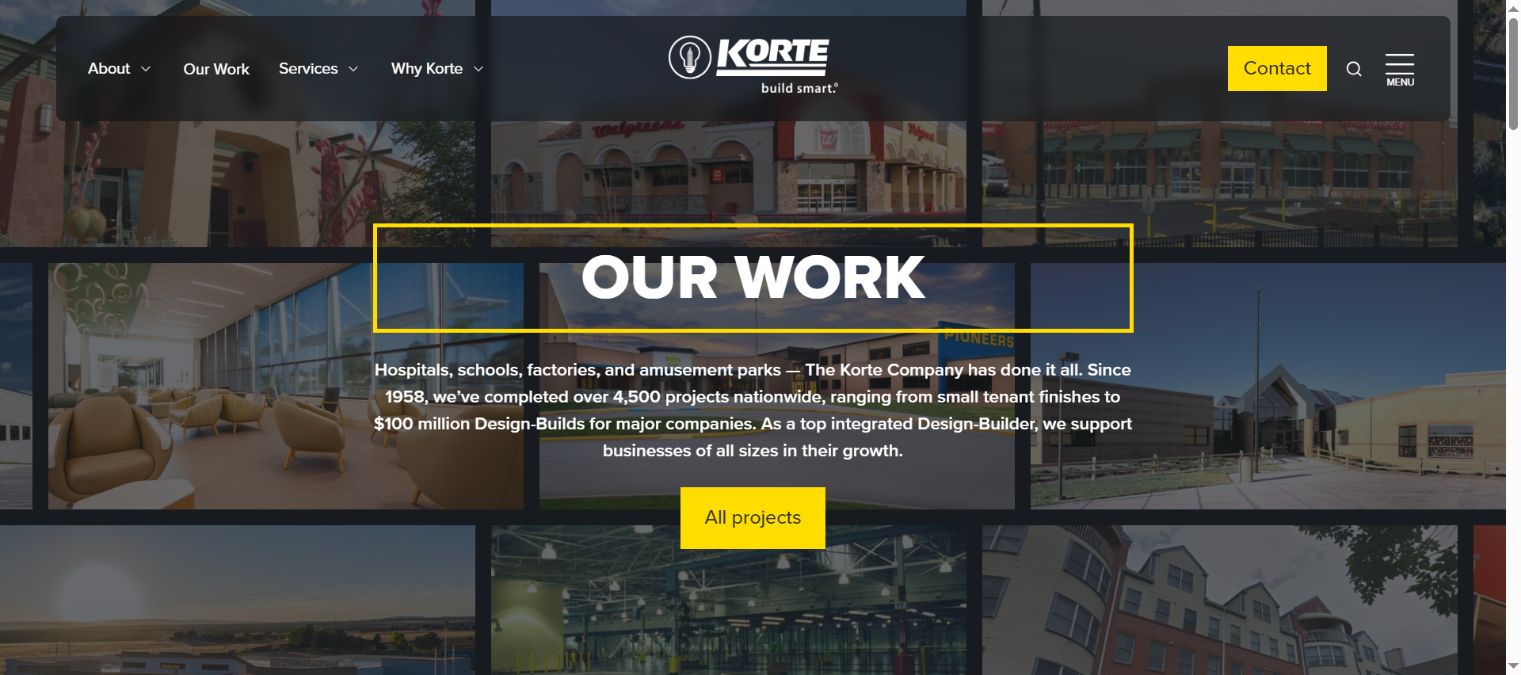
Korte puts its work in a distinct part of the site. A buyer can move into projects rather than staying with the general company introduction.
- What's good: the work has a recognizable destination.
- What to copy: make the project portfolio easy to find from the main navigation.
- What I'd change for a focused campaign: lead with the market or project closest to the buyer's need, then let them explore more.
A company with a smaller portfolio can use the same principle. You need enough relevant projects to explain the service, rather than a page padded with every job the firm has touched.
Clark: help a buyer narrow a large portfolio
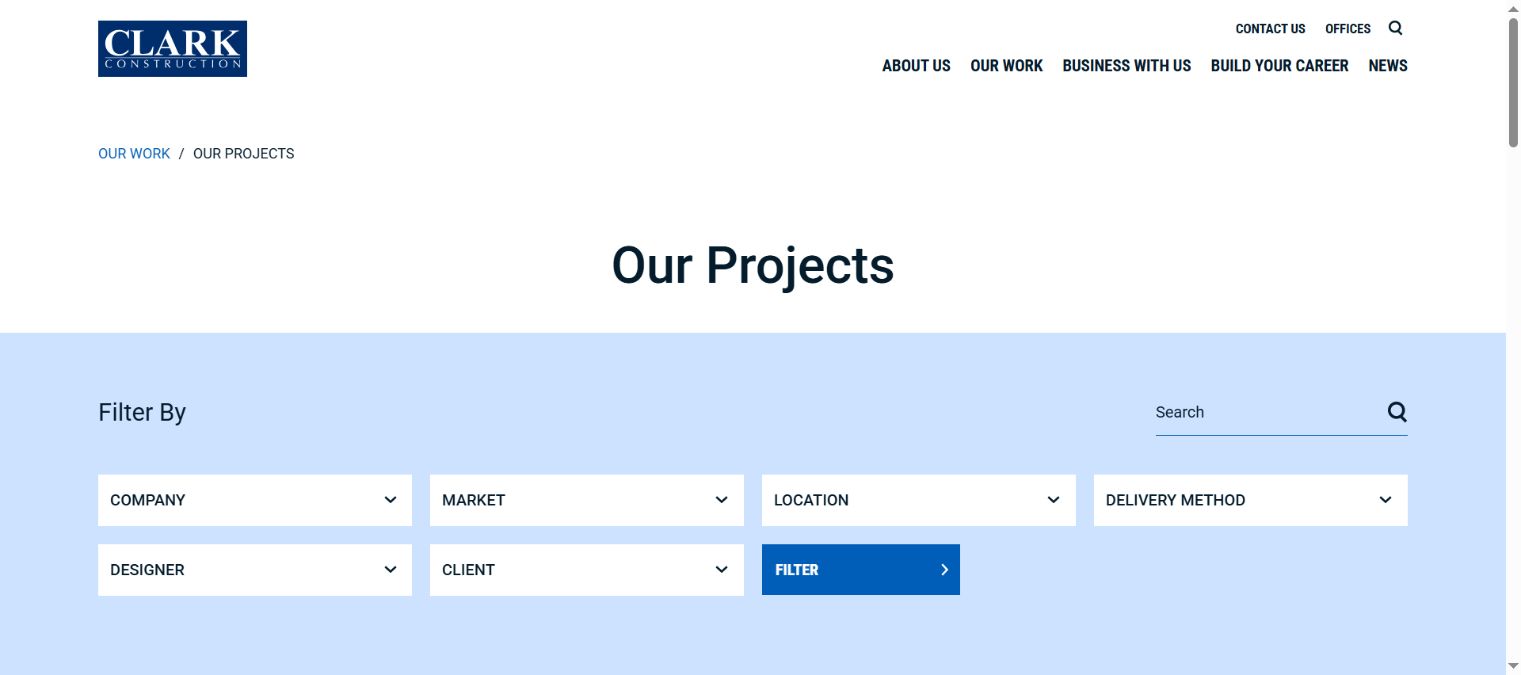
Clark gives visitors ways to explore its project portfolio, including project details and filtering choices.
- What's good: a buyer has ways to narrow the evidence instead of opening every project.
- What to copy: organize a large portfolio around the questions visitors use, such as market or location.
- What I'd change for a smaller firm: start with simple categories. Extra filters earn their place when they make enough projects easier to search.
I'd test the choices on a phone before approving them. A filter label that makes sense to your marketing team may mean little to a developer looking for a certain building type.
NOVO: let the work explain the company
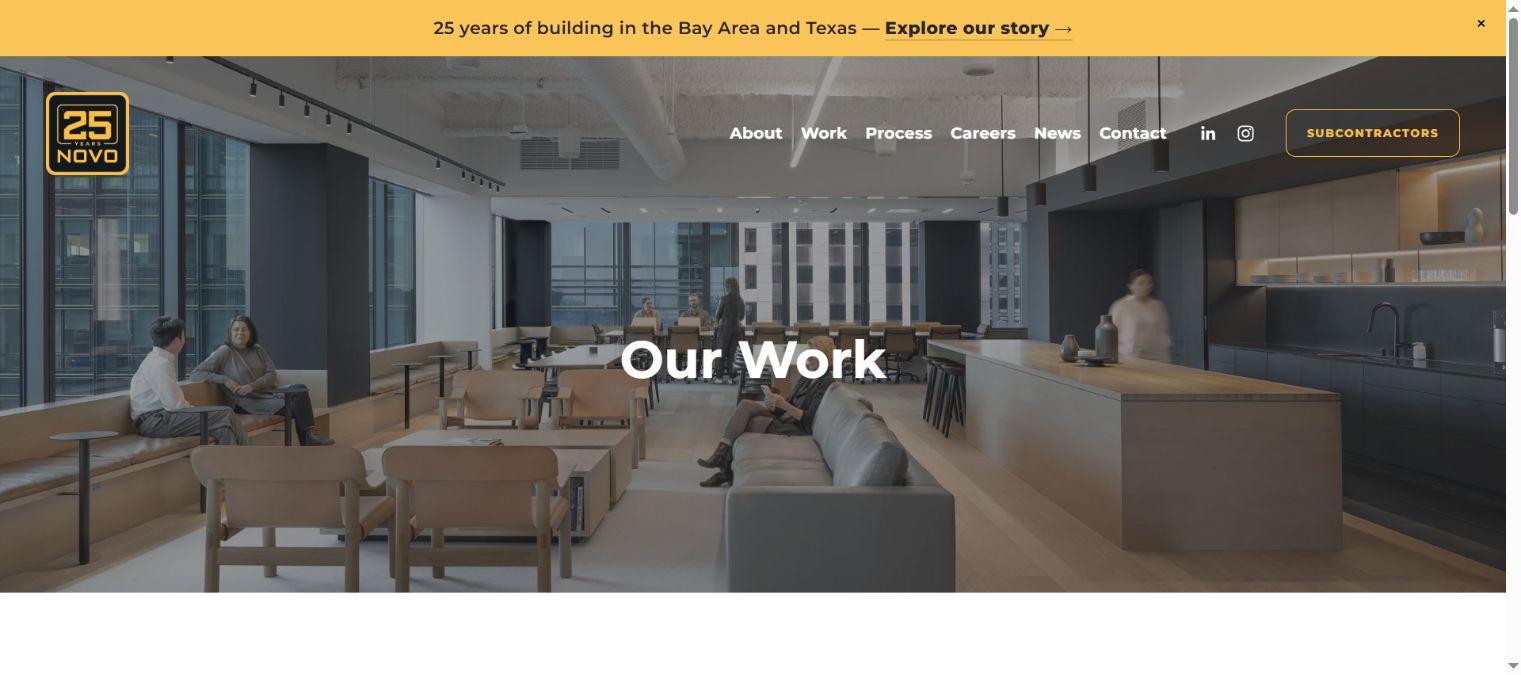
NOVO has a clear “Our Work” destination. It gives the portfolio a central role in explaining the company.
- What's good: a buyer can get to the work without reading a long company biography first.
- What to copy: use the navigation label your visitor would say out loud.
- What I'd change for your site: put the company's precise role beside each project, especially when the image could belong to several project partners.
“Our Work” is a good entrance. The pages behind it still need enough text to tell the buyer what they're seeing. A project name and image can start the story; they shouldn't have to carry the whole explanation.
Gerding: use named projects as evidence
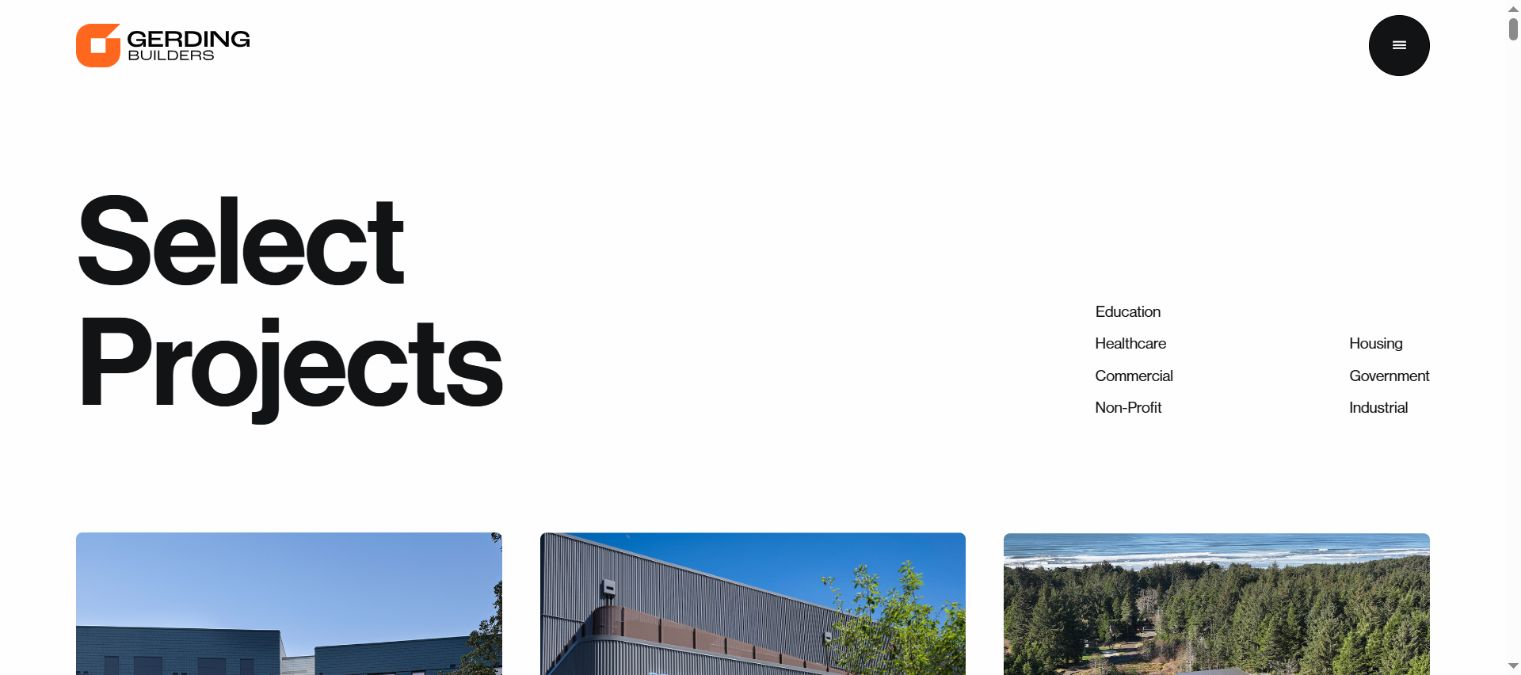
Gerding presents named projects, giving a visitor specific work to investigate.
- What's good: the work is identifiable, rather than a row of anonymous building photos.
- What to copy: give each project enough context to be recognized and discussed.
- What I'd change for a buyer checking fit: bring the role, building type and next relevant project together so the visitor can compare them easily.
That pattern also helps your BD lead. They can send a project link after a conversation and know the recipient will see the same facts the team discussed.
What each site gets right
Borrow the task, not the whole design. A large national portfolio and a regional specialist's site need different navigation. Both should help the visitor understand the company's work.
| Pattern | What it helps the buyer do | Use it when |
|---|---|---|
| A distinct work destination | Find evidence after reading a service claim. | Projects are buried inside news or the homepage. |
| Portfolio categories or filters | Narrow a large body of work. | The archive is big enough that browsing everything takes effort. |
| Plain navigation labels | Know where a link will go. | Internal company language has made the menu confusing. |
| Named project cards | Recognize a job and open the details. | The gallery has images with little context. |
You'll get a better brief by saying “an owner needs to find relevant industrial work” than “make it look like this company.” The first tells the designer what must work. The second can produce a familiar-looking page with the same unanswered questions underneath.
Use the construction marketing plan if you haven't chosen the priority buyer. If the site needs to support search discovery, the construction SEO guide explains how service, sector and project pages connect.
A project page a buyer can use
Put the facts in the order a buyer needs them. Start with the project, place and company role. Then explain the scope and the decision that made the work relevant. Use images to show what the text describes.
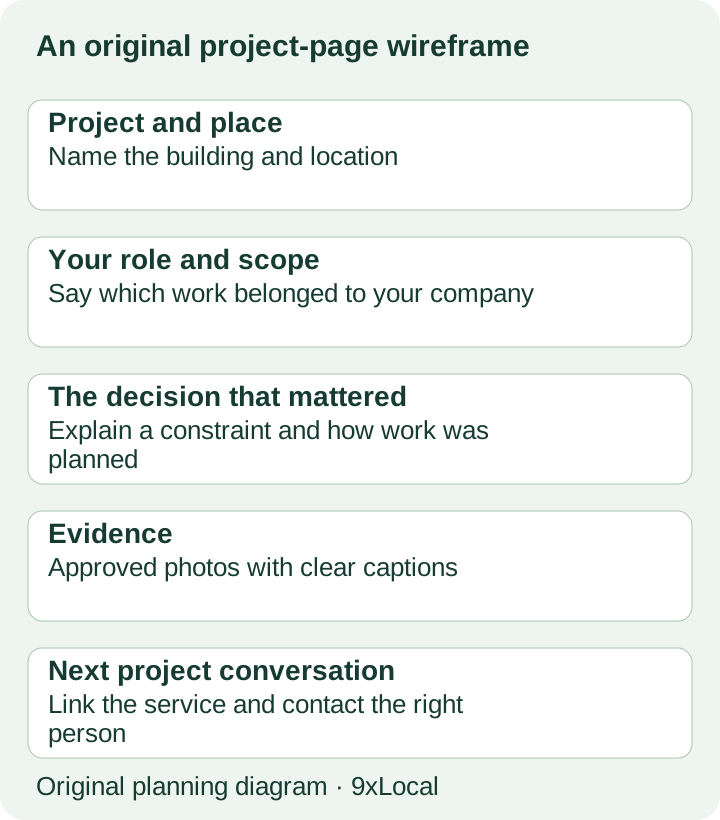
This is an original wireframe, not a picture of a completed job. Here's a copy starting point your PM can fill with the project's facts.
Original project-page summary template
{Project name}, {location}

Our role: {GC, construction manager, design-builder or precise trade role}.

Our scope: {the work your company performed}.

The project needed {building requirement or constraint}. Our team handled {decision or sequence}, working with {accurately credited project partners}.

Planning similar work? Send our business development team the location, project stage and next milestone.
Ask the PM to explain the job as if another owner were on the call. What would they ask first? Which part of the work demonstrates your capability? What did your team own and what belonged to someone else?
Use photos, names and details you have permission to publish. Keep confidential project information off the page and credit other firms correctly. A precise description of your contribution is stronger than a broad claim the buyer has to unravel.
I'd also include a related service link. After reading the project, the buyer should be able to understand the wider work you perform. Give them a contact action suited to the project discussion, rather than a vague request to subscribe.
Make three contact paths obvious
Owners, trade partners and applicants arrive with different tasks. Let them recognize the right next step quickly.
| Visitor | Action to make clear | Person or process behind it |
|---|---|---|
| Owner or developer | Discuss a planned project. | Business development or the right regional lead. |
| Trade partner | Find onboarding or prequalification information. | The company's current trade-partner process. |
| Applicant | View roles and apply. | Careers or the recruiting system. |
A public website can link to an existing company system. You may need a clear entrance, rather than a new custom portal. Name the task in plain words and check that the link takes the visitor to the current process.
For an owner inquiry, ask for enough context to start: organization, building type, location and project stage. Your team can gather detailed scope in the first discussion. A long form that asks for a full estimate package can interrupt a buyer who's still choosing whom to speak with.
Then test the delivery. The person receiving the inquiry should know what the buyer asked and what they expect next. A working form is more than a success message on screen.
Try the contact labels with someone outside the office. Ask where they'd go to discuss a new building, become a trade partner or apply for work. If they choose the wrong path, change the label before adding another form field. That's a small design fix your team can test early, while the brief is still easy to change.
Write the website brief
Keep the brief centered on the visitor and the company material. The agency should be able to price the work and explain the first version from it.
- Buyer and work: sectors, services, regions and the roles your company performs.
- First journey: where the buyer enters, which evidence they see and the next contact.
- Content: existing project material, missing facts and who supplies them.
- Scope: pages, archive work, migration needs and any systems the site links to.
- Upkeep: who provides new project details and who reviews the page before it goes out.
- Ownership: domain, accounts, content and file handover.
For each major page, write one sentence about the buyer task. “An owner can see our role on a distribution facility” is a testable brief. “Premium design” needs more explanation before anyone can know whether the work is finished.
Bring the current site to the discussion. A focused improvement may solve the problem without a full rebuild. A complex archive move needs a content inventory and redirect plan. The brief should make that difference visible before the quote arrives.
Test it on desktop and phone
Give someone who wasn't involved in the build a buyer task. Ask them to find a relevant project, explain the company's role and start the next conversation. Watch where they hesitate. You'll learn more than asking whether they like the colors.
Use the checker below as a simple release decision. Missing role or contact information is a repair task. Optional visual polish can follow once the core tasks work.
On a phone, inspect the menu, project captions and contact action. Make sure text stays readable and tables or filters fit the screen. Open a project image and return to the page. Try the inquiry path with a test the office recognizes.
On desktop, check the same tasks rather than judging only the large hero image. A site can look impressive on a wide screen while the project role remains hard to find. The buyer task should survive both views.
Common mistakes
A portfolio with no company role. Add the work your firm performed. A building image doesn't tell the visitor who designed, managed or constructed it.
A homepage that delays the service explanation. Put the work and sectors in plain text near the top. Let motion support the company story once the visitor understands it.
A new sector page with no evidence. Gather a relevant project and a clear account of the service before expanding the menu. Thin pages give the buyer more places to look without better answers.
A contact path that mixes every visitor. Separate the project, trade and careers tasks. Your office should spend its time on the conversation, rather than guessing where an inquiry belongs.
A site nobody can update. Name the person who supplies project details and the person who publishes changes. The content process belongs in the brief, not in a later rescue job.
Frequently asked questions
Can a small contractor use these patterns?
Yes. Clear services, accurate roles and direct contact paths work with a small portfolio. Choose the structure that fits your amount of evidence.
Do we need new professional photos first?
Start with clear approved photos that explain the work. Commission more when the missing image would help a buyer understand the project, rather than delaying every page.
Should the website show every project?
Lead with relevant work. A wider archive can follow when it has accurate details and a way for visitors to find what matters.
Will copying a large firm's design bring more leads?
Copy the buyer-friendly pattern, then test it with your company material. Appearance alone doesn't establish inquiry or award results.
Want help building your site?
Bring the buyer task, priority services and a few projects that show the work. Our construction website design service can build the scope you choose, with packages from $297/month and no setup or build fee. The construction marketing hub explains the wider service. See 9xLocal to discuss the first version.