
An owner may find you through a search or check your name after a recommendation. Either way, the site has to explain your part in the work. Make your role clear: GC, construction manager, design-builder or specialist trade.
If you want that ongoing work handled, the construction SEO service explains the scope and hire decision. Here's how I'd tackle the pages with your own team.
Pick one service page
Choose a service you can deliver and a buyer you want to reach. A contractor pursuing distribution facilities should start with the page that explains that work, not a generic blog post about building trends.
Open the current page and ask what the buyer can learn. Does it name the service? Does it show relevant work? Can the visitor understand your role and find the next contact? Those are the first gaps to close.
Look at the searches reaching the site, too. Separate company, career and project-buyer searches. A rise in applications can be good for the business, but it answers a different question from whether owners are finding your service pages.
I'd keep a short page list with three decisions: improve, merge or leave alone. Improve the page with a clear buyer purpose and weak content. Merge pages that answer the same need. Leave a sound page alone while you fix the part of the site that blocks the next buyer task.
What to expect in the first 3 months
Expect page and technical improvements first. An Ahrefs poll of 3,680 people put the typical wait for SEO results at 3 to 6 months. Use that as a broad time reference, not a deadline for a construction award.
| Period | Work to inspect | What it tells you |
|---|---|---|
| First month | Priority page changes, titles, links and indexing checks. | Whether the foundation is getting stronger. |
| Second month | More complete project evidence and service-to-project links. | Whether a visitor can check the service claim. |
| Third month | Relevant search terms, page visits and project inquiries together. | Where to keep improving and what buyers still need. |
Your starting point matters. A page Google can't find needs a different first job from a well-indexed page that undersells the company. Look for completed work you can inspect instead of treating every month as a promise of the same traffic increase.
If you need a budget, get a scoped quote and include the time your PMs spend supplying project details. The money decision is the service you're buying and the staff effort it takes, rather than a price for each keyword.
3 patterns from commercial contractors
These pages give us three different lessons. Use them to choose the next page improvement on your own site. Each lesson works at any size. A regional contractor with ten good projects can apply all three this month.
McCarthy: make the sector easy to identify
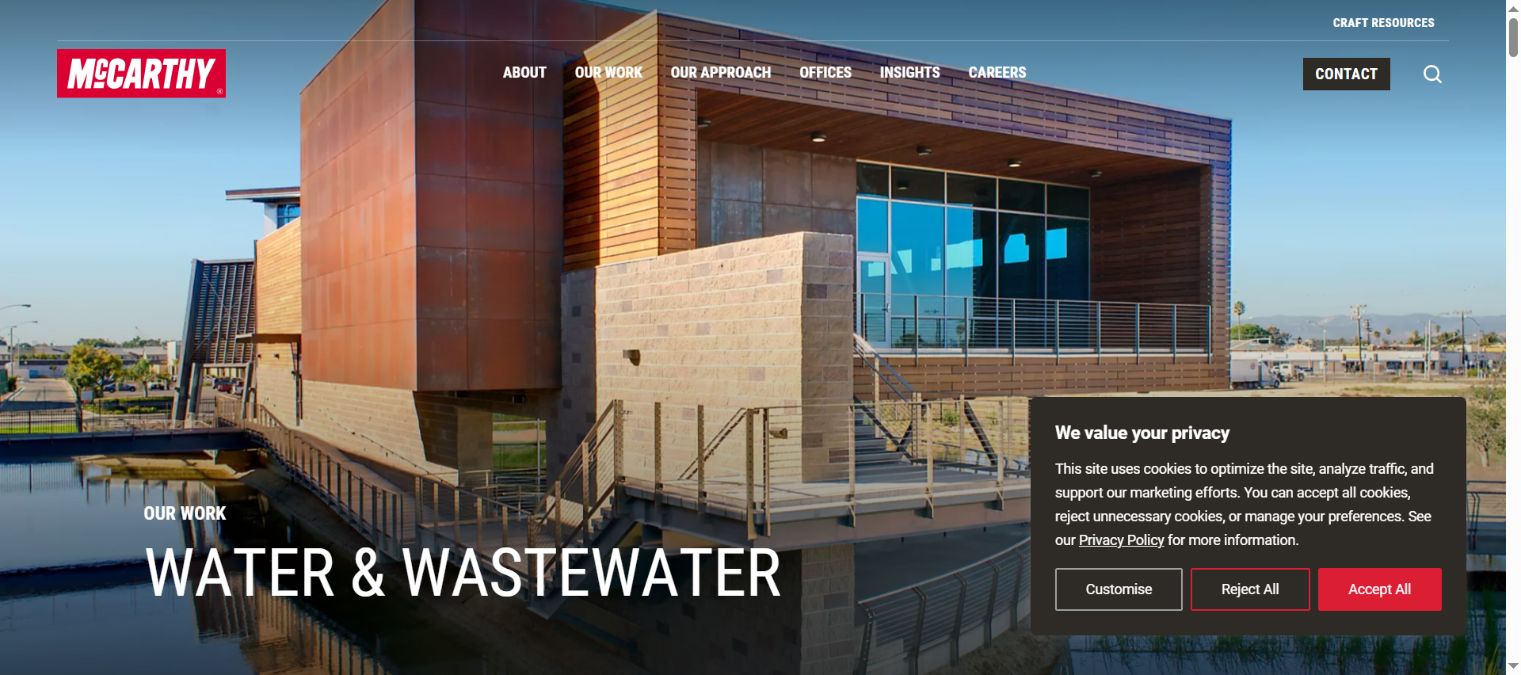
McCarthy gives water and wastewater a clear sector page, with relevant experience and a way to contact the team.
- What's good: a buyer can identify the sector without translating a broad company claim.
- What to copy: put the sector explanation beside work that supports it.
- What I'd change for your page: lead with your own scope and service area before expanding the company story.
Robins & Morton: connect the company with current work
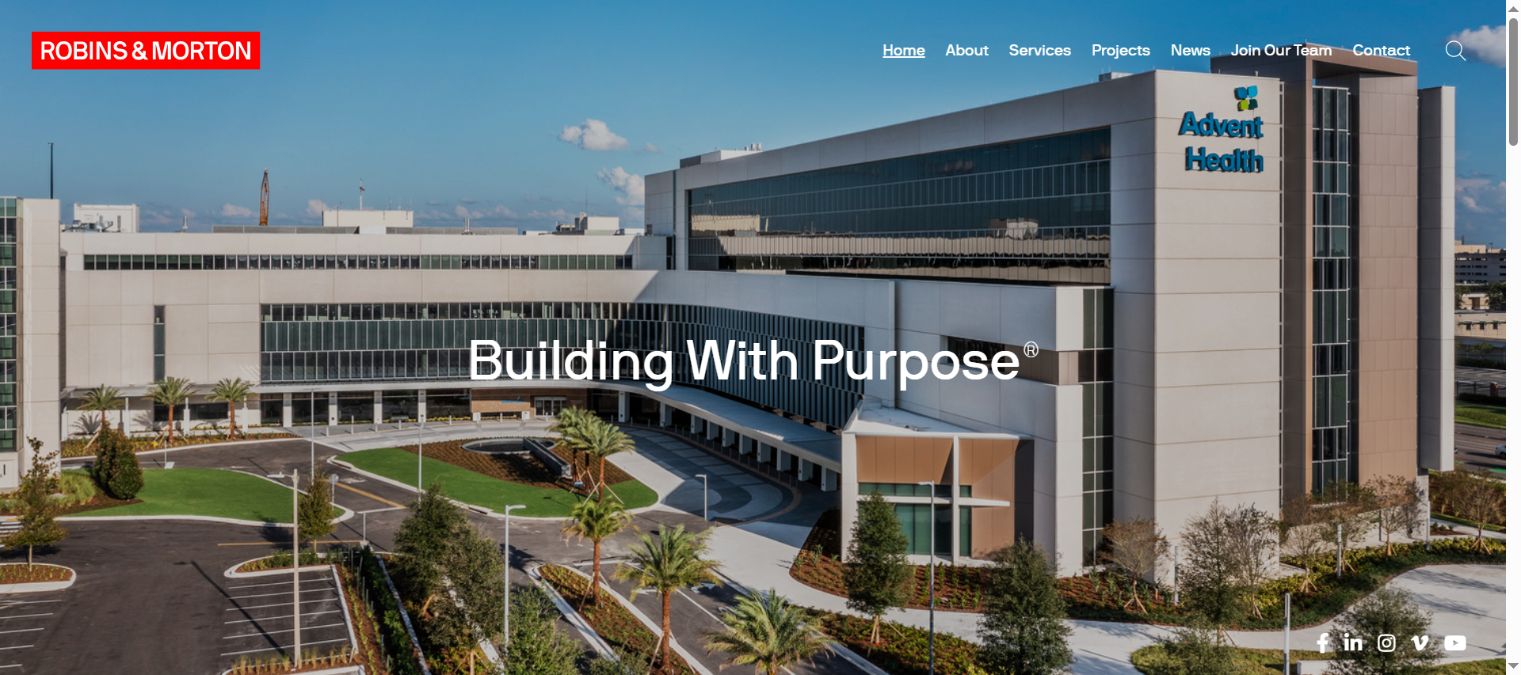
Robins&Morton connects its company presentation with project content, including healthcare work.
- What's good: the company introduction has evidence behind it.
- What to copy: use current projects to keep the service story concrete.
- What I'd change for a priority service: give buyers a direct link to the relevant sector page, rather than making them piece the story together from news.
W.E. O'Neil: name the project and place
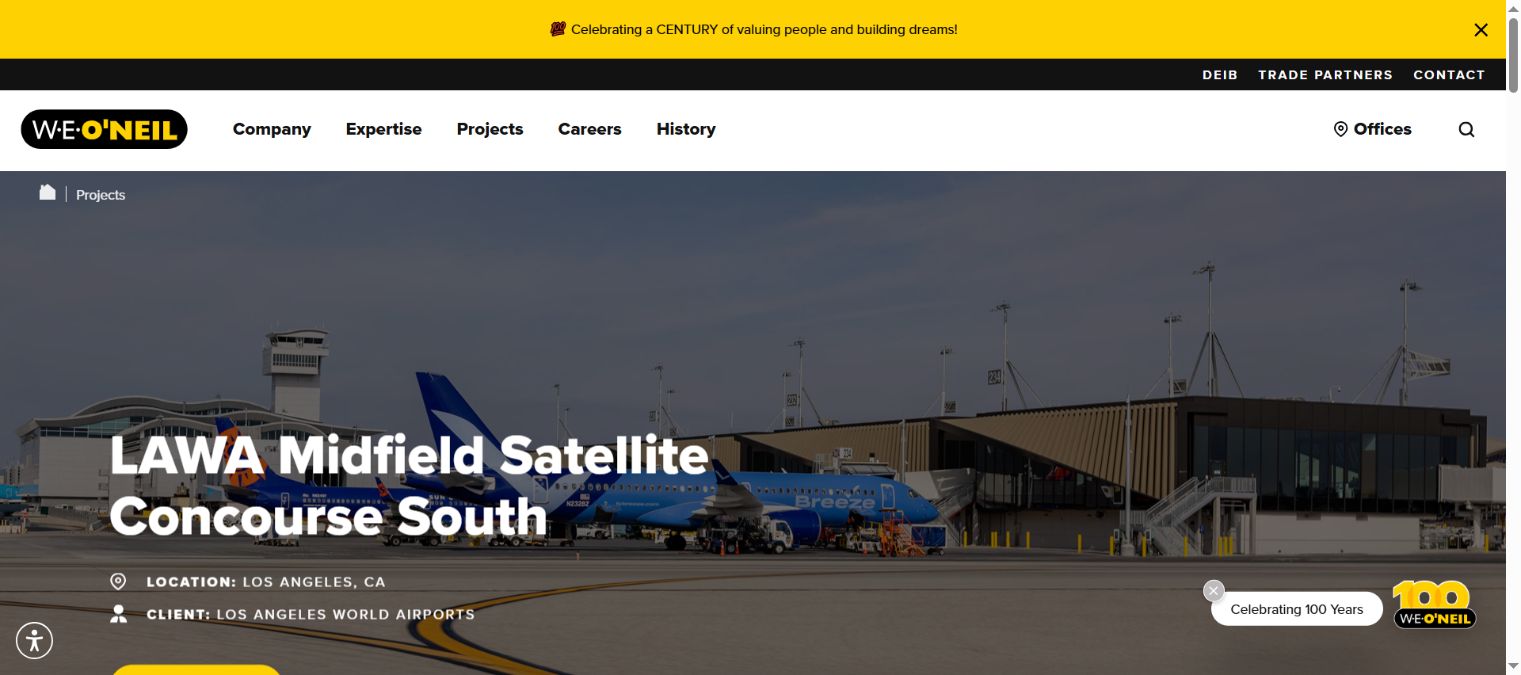
W.E.O'Neil shows named projects with identifying details such as location and client.
- What's good: the work is recognizable and specific.
- What to copy: give a project a proper name and enough context to understand it.
- What I'd change for your site: state the contractor role clearly beside those facts, so the visitor knows which work was yours.
Map services, sectors and places
Give each page a job. A service page explains what you do. A sector page explains the building and buyer needs you understand. A project page shows the work. An area page explains the real team and operations serving that place.
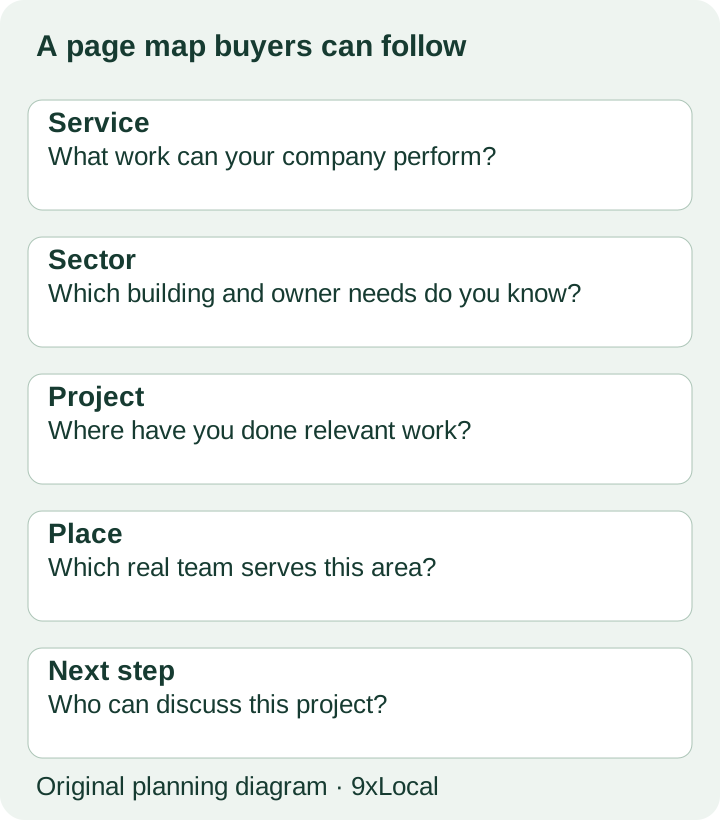
Some firms can answer a service and sector need on one strong page. Others need separate pages because the work and audience differ. Let the buyer question decide, rather than treating every keyword variation as a new URL.
| Proposed page | Build it when | Improve or merge when |
|---|---|---|
| Service | It describes a distinct job your team performs. | It's another label for the same work. |
| Sector | You can explain different buyer needs and relevant projects. | It repeats the general service page. |
| Place | There's a real operation, team or body of work to describe. | Only the town name changes. |
| Project | It adds evidence a buyer can check. | It's an unnamed photo with no role or scope. |
Use the tool to choose the next page action. It asks about the buyer need, project evidence and next contact. There's no ranking score hidden in it.
If the result is “gather evidence,” send a short request to the PM. You'll often get a better page from a conversation about the job than from writing around a keyword with no project detail.
Before and after: a distribution center page
Here's an original teaching example. The first version could belong to almost any contractor. The second shows the information to gather for a company that performs this work. Replace the braces with verified company facts before using it.
Before: a page that leaves the buyer guessing
Commercial Building Services

We provide quality construction solutions for businesses. Our experienced team handles projects of every size. Contact us to learn more.
After: a distribution center service-page starting point
Distribution Center Construction in {region}

We provide {GC, construction management or design-build services} for {new distribution buildings, expansions or another verified scope}.

For {project name}, our team handled {precise scope}. The project page explains our role, the building requirements and how the work was sequenced.

Planning a facility in {service area}? Send our business development team the location, current project stage and next decision date.
The improvement comes from answering a buyer's questions. It names the service, points to evidence and asks for a sensible next step. You can write that plainly without filling the page with the same phrase.
Add details only when they belong to your company. If you built the shell, say that. If another firm designed the facility, credit that role. A clear boundary makes the project easier for a buyer to understand.
Before adding a new service page, ask a buyer-facing employee to read the existing one. Have them explain the company's role back to you. If they have to ask which parts of the project were yours, that's the next content fix. If the facts are clear but the next contact is buried, repair that step instead. You'll keep the work closer to the sales conversation and give the website owner a concrete task.
Fix the basics Google needs
Check that the important pages can be reached, loaded and indexed. Use Search Console to inspect priority URLs and find obvious access or indexing faults. Make sure the main navigation and relevant pages link to them.
Give each page a descriptive title and one clear main heading. Keep the important service explanation in text. Images can support the story, while descriptive alt text explains what they show. A heavy photo archive should still load and work on a phone.
When pages move, preserve the old visitor's next step with the right redirect. Keep internal links current. If the site has several versions of the same content, decide which page should answer the need and simplify the paths into it.
I'd fix a broken contact form before polishing a page that's already readable. Try the form using a test your office recognizes, check who receives it and make sure the reply explains what happens next. Your SEO report should lead to practical fixes like these.
Make project pages worth opening
Start with the project name, building type and location. State your role and scope. Then explain the part of the job that matters to a buyer with a similar project.
A distribution center page might discuss staged access or coordination around an existing operation. A water project might need a different explanation. Ask the PM what made this work different, then choose the photos that help explain it.
Keep confidential information off the public page, use material you can share and credit partners accurately. You can still explain your capability without publishing a client's plans or claiming the whole team's work.
Link the project from the relevant service or sector page. On the project page, give the visitor a way back to that service and a clear first contact. It should feel like following evidence, rather than being dropped into an unrelated gallery.
Reviews, profiles and local links
Use Google Business Profile where the company is eligible, with real business details and the services you perform. Google's rules require an eligible presence. A location page on your website doesn't turn a place you sometimes work into another office.
Ask clients for honest reviews and make it easy for them to describe the work they know. Keep incentives out of review requests. Correct important listings when the company name, address or phone details change.
For links, look at the organizations already connected to the company: associations, project partners, local institutions and sector publications. A relevant project mention gives people another way to check you. That's a better reason for a link than filling a report with a number.
If your company works across a wide area, keep local search in proportion. An owner checking sector experience may care more about your delivery role and projects than your distance from their office.
Answer buyer questions in plain HTML
Write the answers where the buyer expects them. “Do you provide preconstruction?” belongs with services. “Who built this?” belongs on the project. “Where do we send an outline?” belongs near the contact action.
Ask your BD lead which questions come up before a first meeting. Turn the repeat questions into short, direct answers. You can include a visible FAQ when that makes the page easier to use.
Search tools and AI assistants also need clear information to work with. Keep structured data consistent with the visible page. The goal is a page a person can understand and verify, rather than a separate block of claims written only for machines.
Frequently asked questions
Should every service get its own page?
Give distinct services a page when you can explain the work and support it with evidence. Merge labels that answer the same buyer question.
Are blogs the best place to start?
Start with services and projects. Add articles when they answer questions your buyers ask and support the main pages.
Can project images do the whole job?
No. Add text explaining the role, scope and building. Photos help the buyer see the work; the page still needs to say what your company did.
Do we have to name every client?
No. Use the details you're allowed to publish. You can explain the building type, scope and company role without exposing confidential information.
Want the SEO work run for you?
Bring one priority service and the projects that back it up. Our construction SEO service can handle the search and website work you choose. Packages start from $297/month, with no setup fee. The construction marketing hub explains the wider service, or see 9xLocal to discuss your first scope.
Sources
- Ahrefs, How Long Does SEO Take?. Verified 31 October 2026.